
See which sales and support candidates double-check AI before they reply
Sales and customer-facing candidates work from customer emails and account notes with the AI Assistant. You review the replies and how they used AI.
Validated assessments since 2009 SOC 2 Type II ISO 27001
Trusted by teams at
































Every sales candidate says they’re good with AI. A sales interview only shows who sells themselves well.
01
Unchecked AI replies can quote wrong prices or promise unsupported features.
02
A bad sales hire costs a full ramp before anyone knows.
03
Support and success teams send AI drafts to customers every day, and one wrong policy answer becomes an escalation.
Start with a task that looks like the job
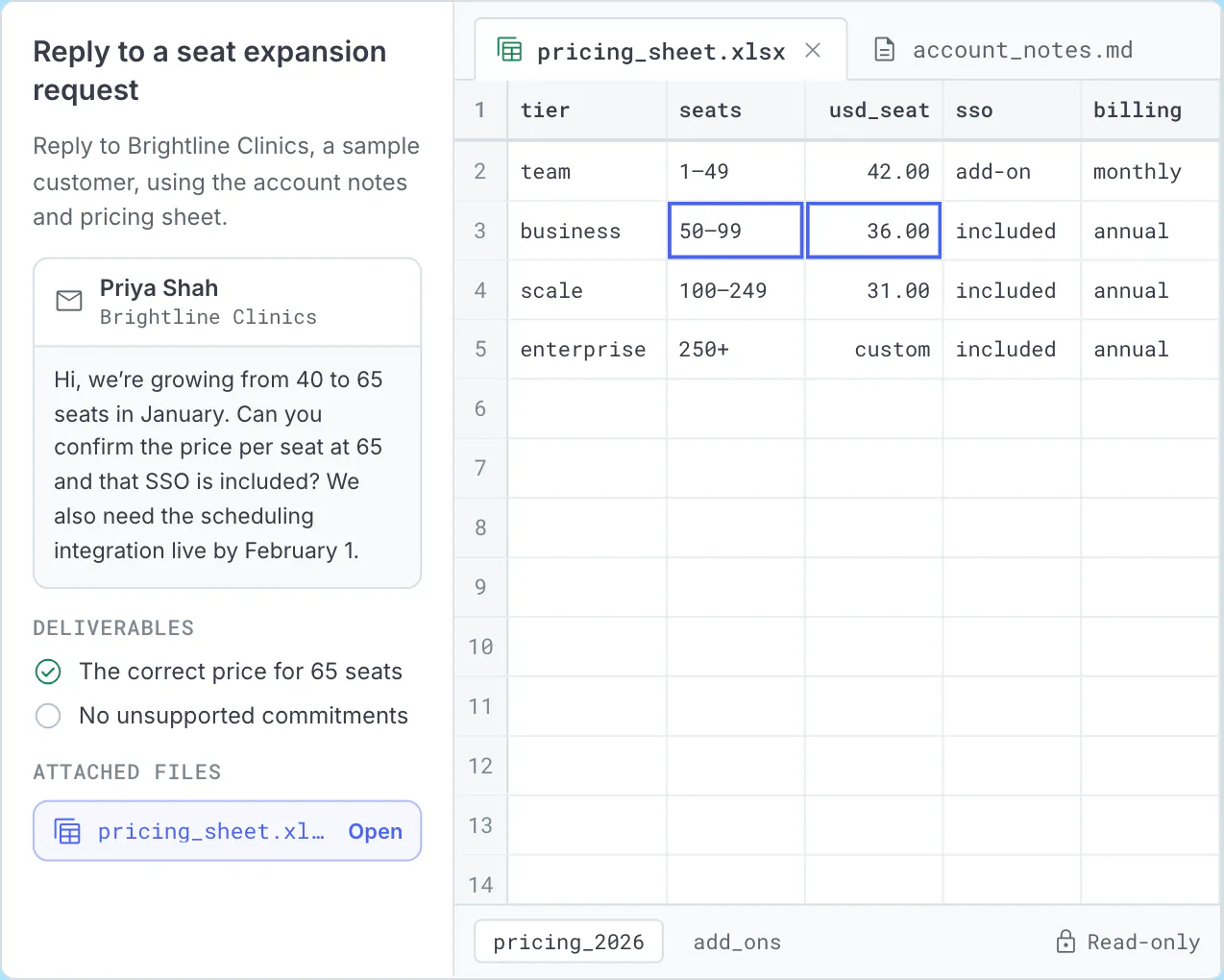
Choose general tasks or ones tailored to sales and customer roles. Candidates might draft a customer reply from account notes and a pricing sheet.
- Another task turns meeting notes and data into an account brief
- Tasks take 5 to 60 minutes
See how the candidate handles the customer’s information
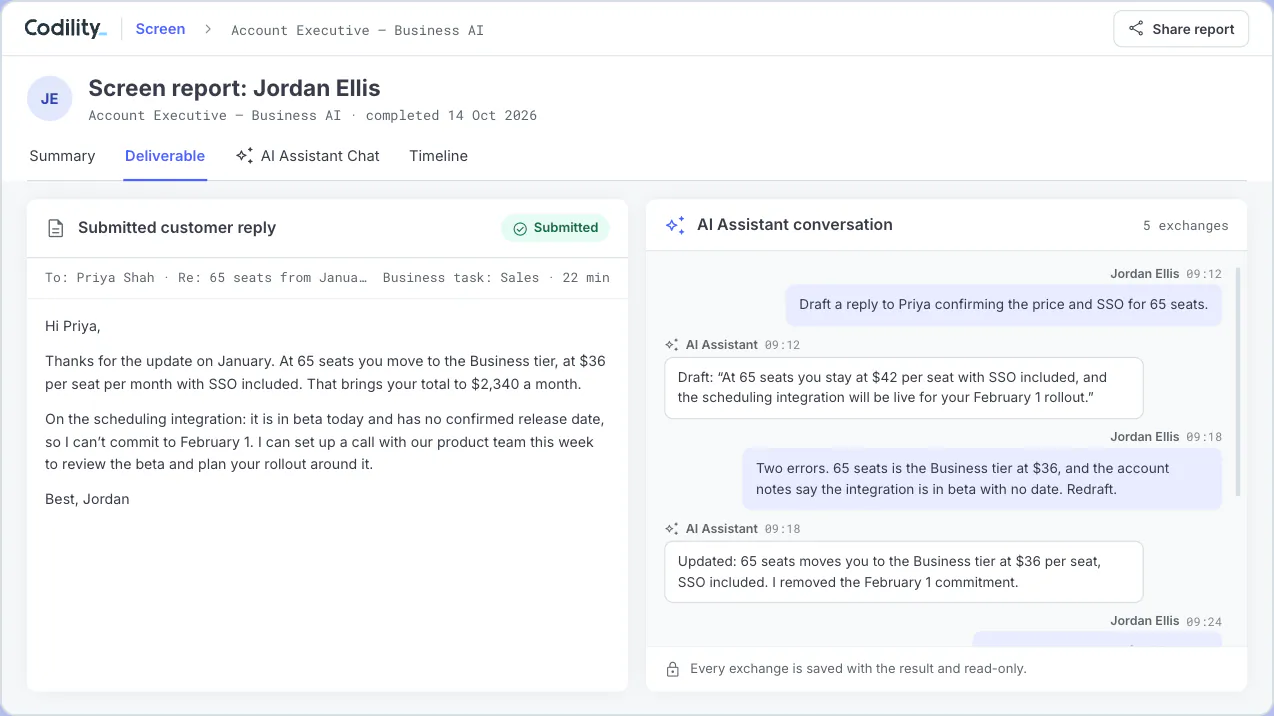
Source files open beside the brief, with spreadsheets shown as tables. Some tasks include incorrect prices or unsupported commitments for candidates to catch. Every assistant exchange is saved.
Review the reply and the score behind it
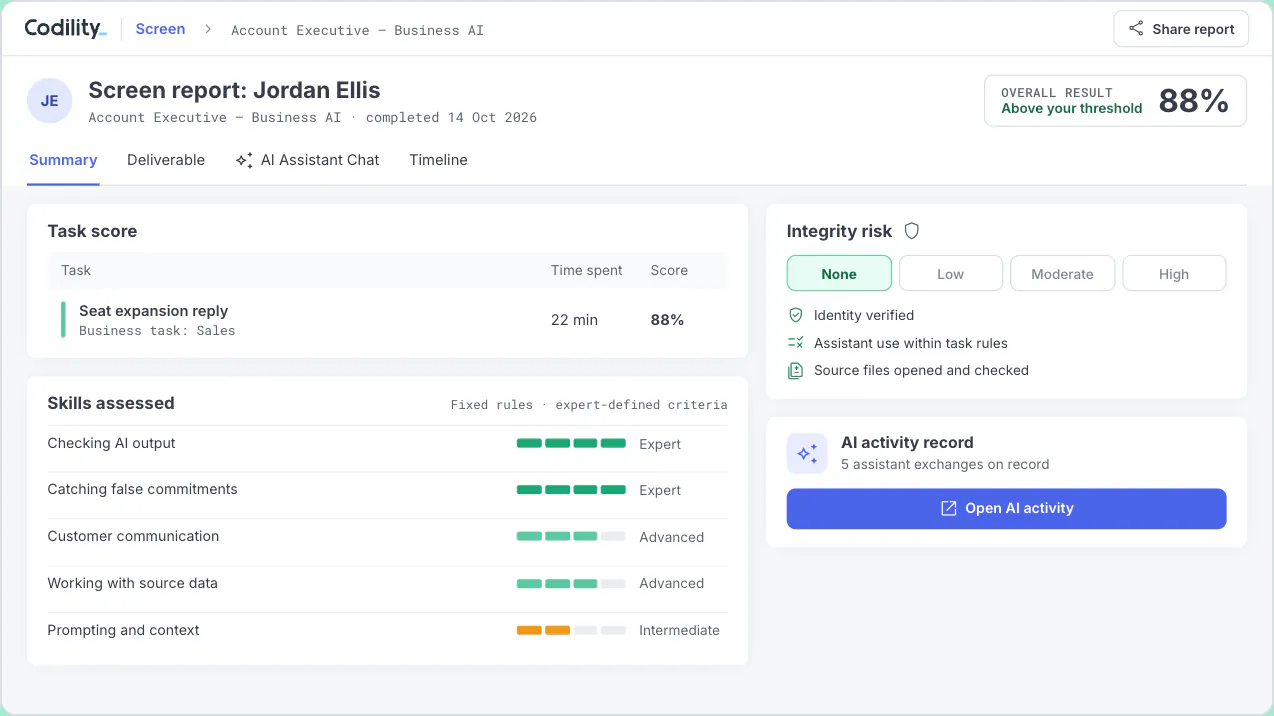
Fixed rules score deliverables against expert-defined criteria. No AI model grades responses. Sales managers then review scores, assessed skills, integrity risk ratings and every prompt before booking an interview.
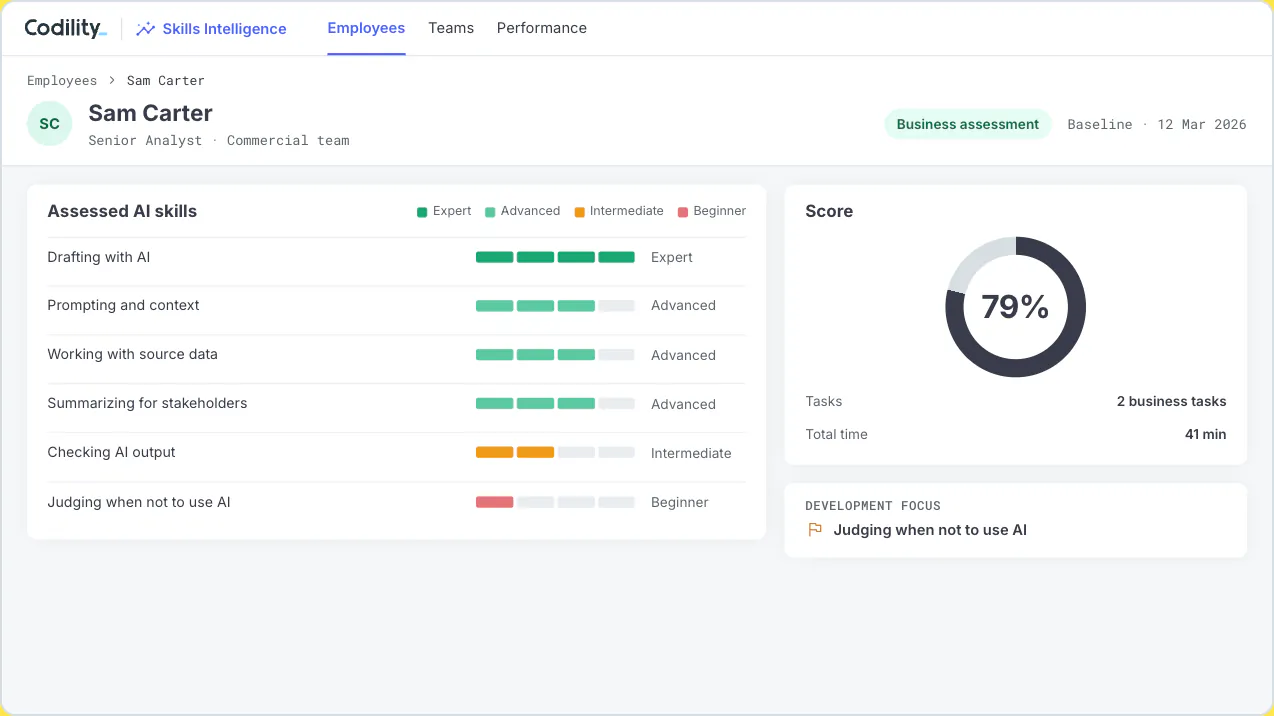
Assess the sales and customer teams you already have
Use the same tasks in Skills Intelligence to establish a baseline for sales and customer teams, target enablement and reassess against the same criteria.
See the response, then decide who to call
A role play shows how a candidate presents. Codility adds the work behind the pitch: a customer response produced with AI, fixed-rule scoring and every prompt to review, backed by almost two decades of assessment science.
Questions sales and customer leaders ask
Review a sales task with your hiring team
Bring the role you are hiring for. We will show you the task, the report and the prompts behind it.