
When you suspect cheating, see what actually happened
See integrity signals, the submitted work and every prompt in one report. People review the evidence and make every decision.
Validated assessments since 2009 SOC 2 Type II ISO 27001
Trusted by teams at

































Decide whether AI is allowed before anyone starts
In Screen and Skills Intelligence, switch AI assistance on or off for each task, so one assessment can test skills with and without AI. In Interview, set it for each session. Every prompt and response is saved for review. Account administrators can also lock the setting or switch off every AI feature across the account. Whatever the setting, you can show a reviewer which posture applied.
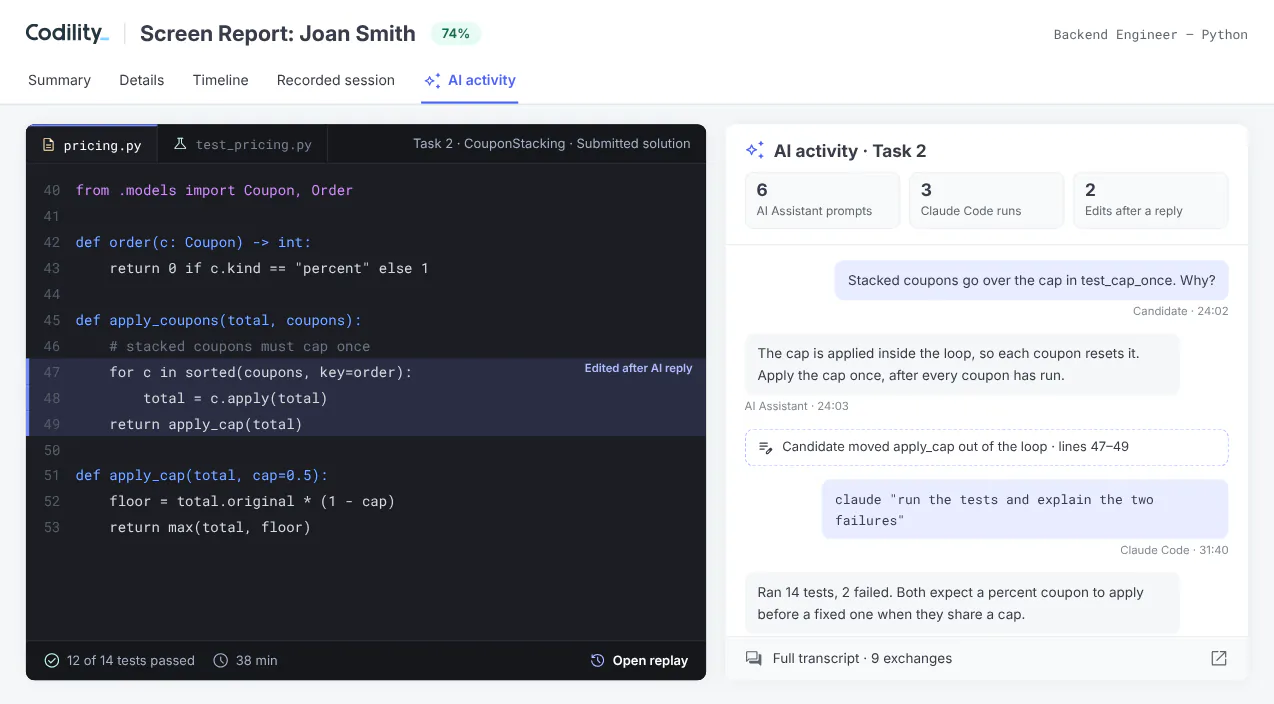
Claude Code and Codex run inside the assessment, under the same AI settings, and every interaction is saved for review.
When AI is allowed, review prompts, responses and how the candidate used them alongside the submitted code. When AI is off, integrity signals can indicate possible outside tool use for a person to review.
The signals reviewers see
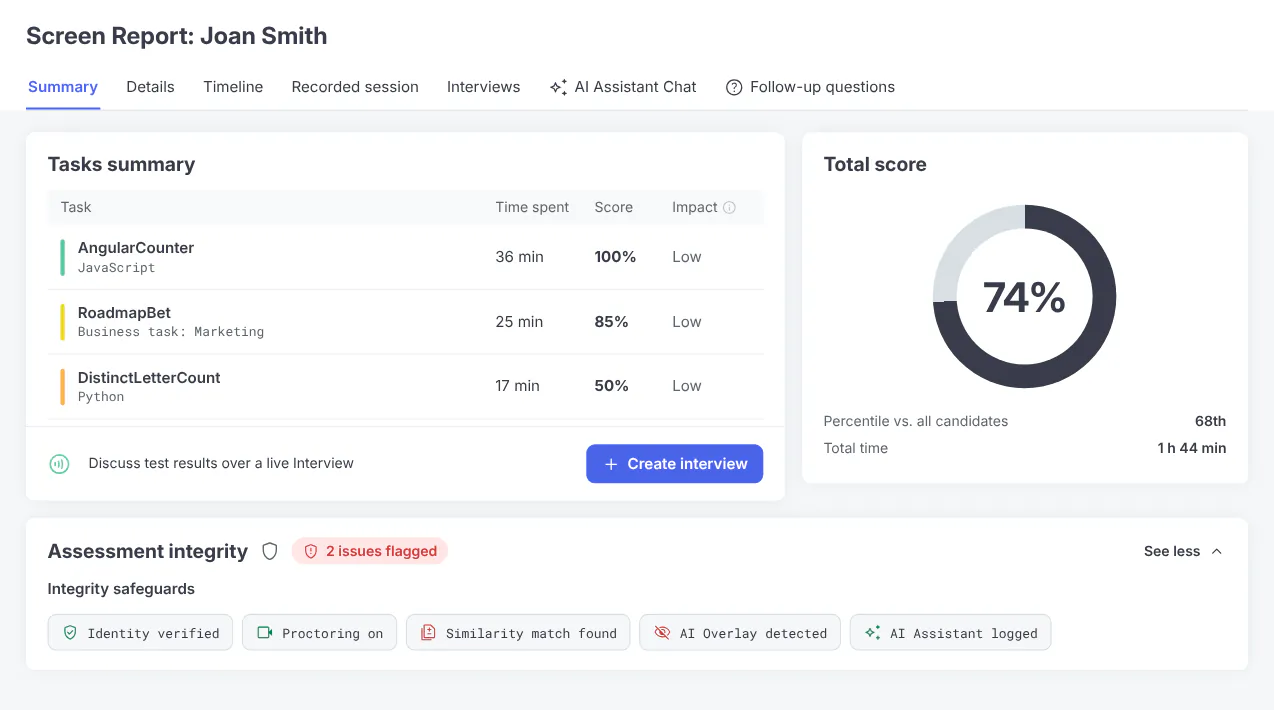
Each control is designed to give a reviewer a signal beside the work, from identity checks to code replay and AI transcripts. Available controls depend on the assessment type and configuration.
- Identity verification. Photo ID matched to the person taking the assessment
- Proctoring. Snapshots or a recording in Screen, a recording and transcript in Interview
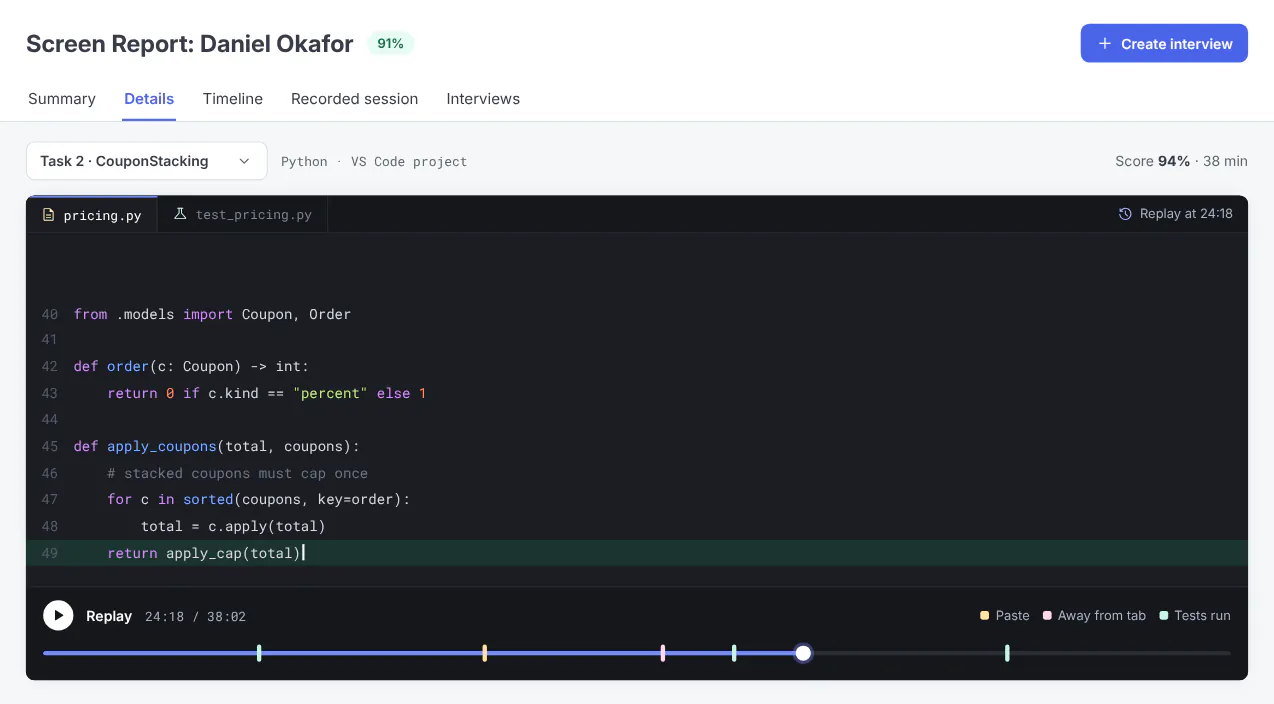
- Behavioral signals. Browser absence, tab switching, paste volume and typing patterns
- Hidden app detection. Where enabled, the desktop app is designed to surface tools hidden over the screen
- Similarity check. Compared with other submissions and solutions found online
- Code replay. The solution being written, with markers on the timeline
- AI Follow-Up Questions. Short questions on the work, kept out of the score
- AI usage. Every AI Assistant, Claude Code or Codex interaction, with the AI skills used
A risk rating is never proof
Assessment reports show an integrity risk rating: None, Low, Moderate or High. Fixed rules combine the signals, so the same signals produce the same rating.
Review the contributing signals alongside the work before deciding. Codility never rejects candidates automatically. No single signal proves misconduct.
AI Follow-Up Questions are deliberately kept out of the score, so the answers inform the reviewer and never change the result.
Business tasks are reviewed the same way, in their own workspace
Business participants use a brief, source files and the assistant to write a response. Review the submitted response and every prompt together.
Fixed rules score the deliverable against expert-defined criteria. People review the prompts. Code replay applies to engineering tasks.

Questions hiring teams ask
Related evidence
Review the integrity evidence for your assessment workflow
Bring the assessment you run today. We’ll show you what a reviewer sees.