
See how senior engineers reason through technical decisions
Assess senior engineers on real coding work, then interview them live with Claude Code or Codex. See how they debug and check AI output.
Validated assessments since 2009 SOC 2 Type II ISO 27001
Trusted by teams at
































Résumés and panel interviews make seniority easy to claim and hard to check
01
Seniority on a resume does not show how someone makes technical decisions
02
Separate interview exercises leave panels with different evidence
03
A correct result leaves questions about the reasoning behind it
Assess the work, then discuss the decisions
Agree on the criteria
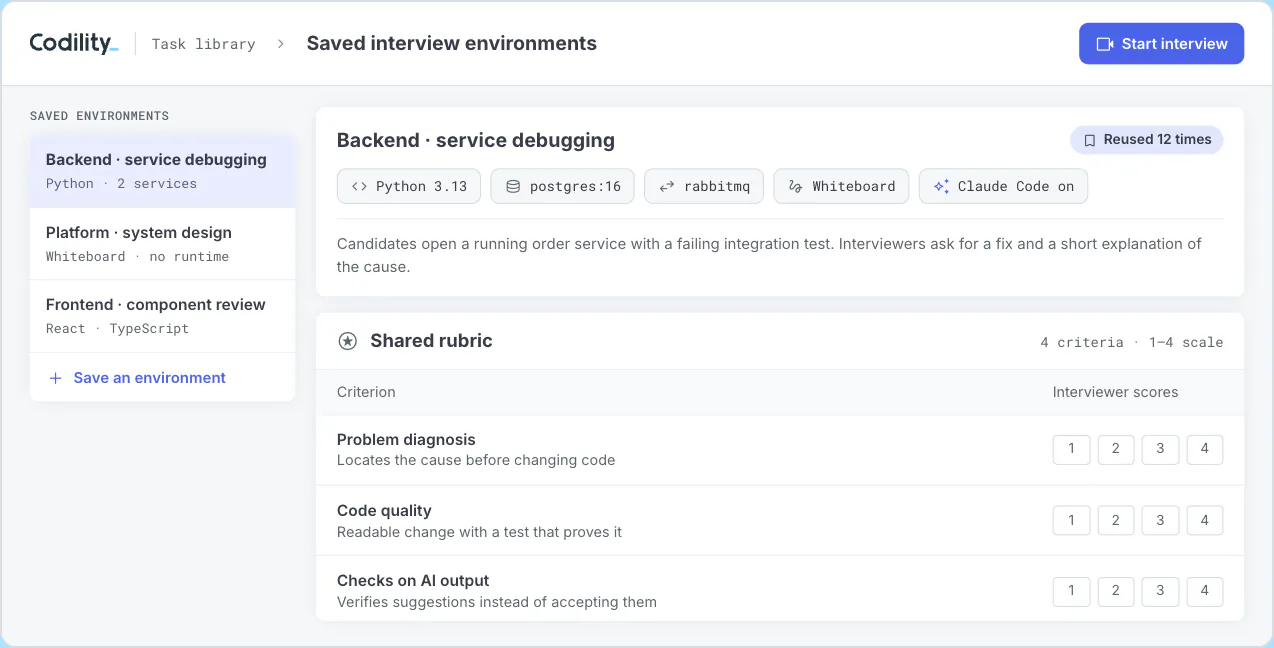
Choose tasks and a rubric for the senior role. Use the library of 1,300+ validated tasks, including multi-file projects, or add your own. Professional Services can support custom assessment design.
Review practical work
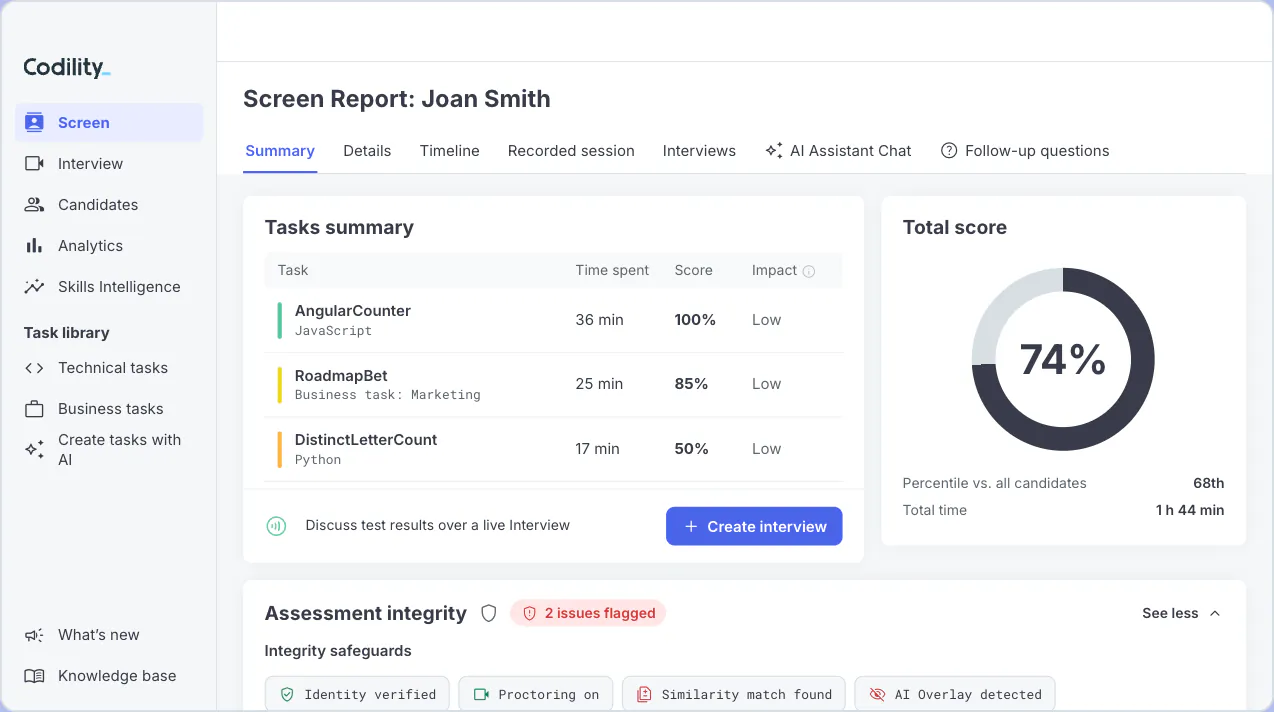
Start with Screen for an asynchronous coding assessment. Candidates work in VS Code, and the report shows the solution and how it developed.
- A full VS Code environment with a terminal and console
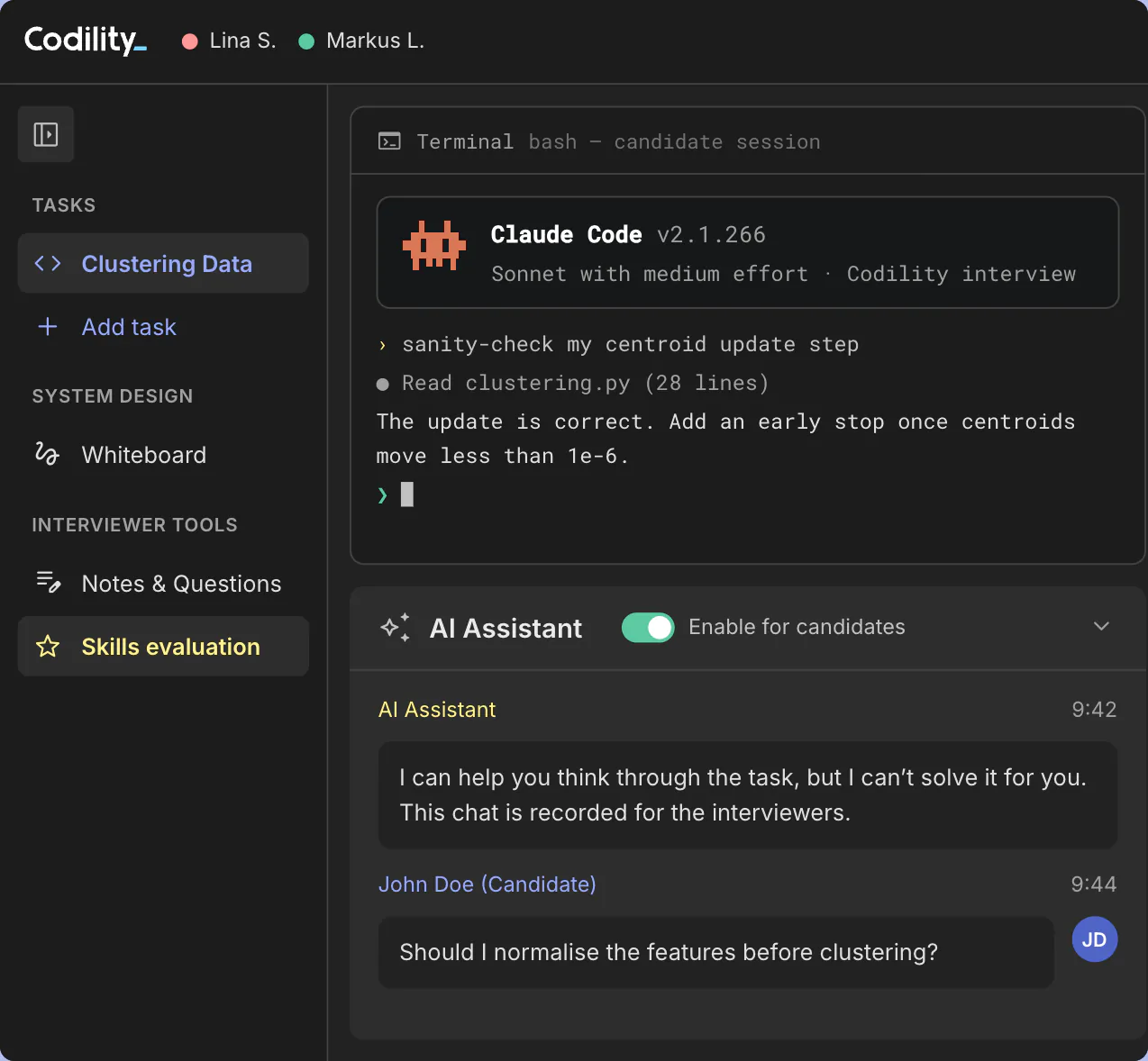
- Allow the AI Assistant or turn it off for each task, and every prompt and response is saved
Discuss the decisions
Use Interview to explore code, system design and tradeoffs in a shared VS Code environment with an Excalidraw whiteboard. Sidecar services such as databases and message queues run inside the session, so the discussion happens against a realistic setup. Claude Code and the Codex CLI are available across Screen, Interview and Skills Intelligence.
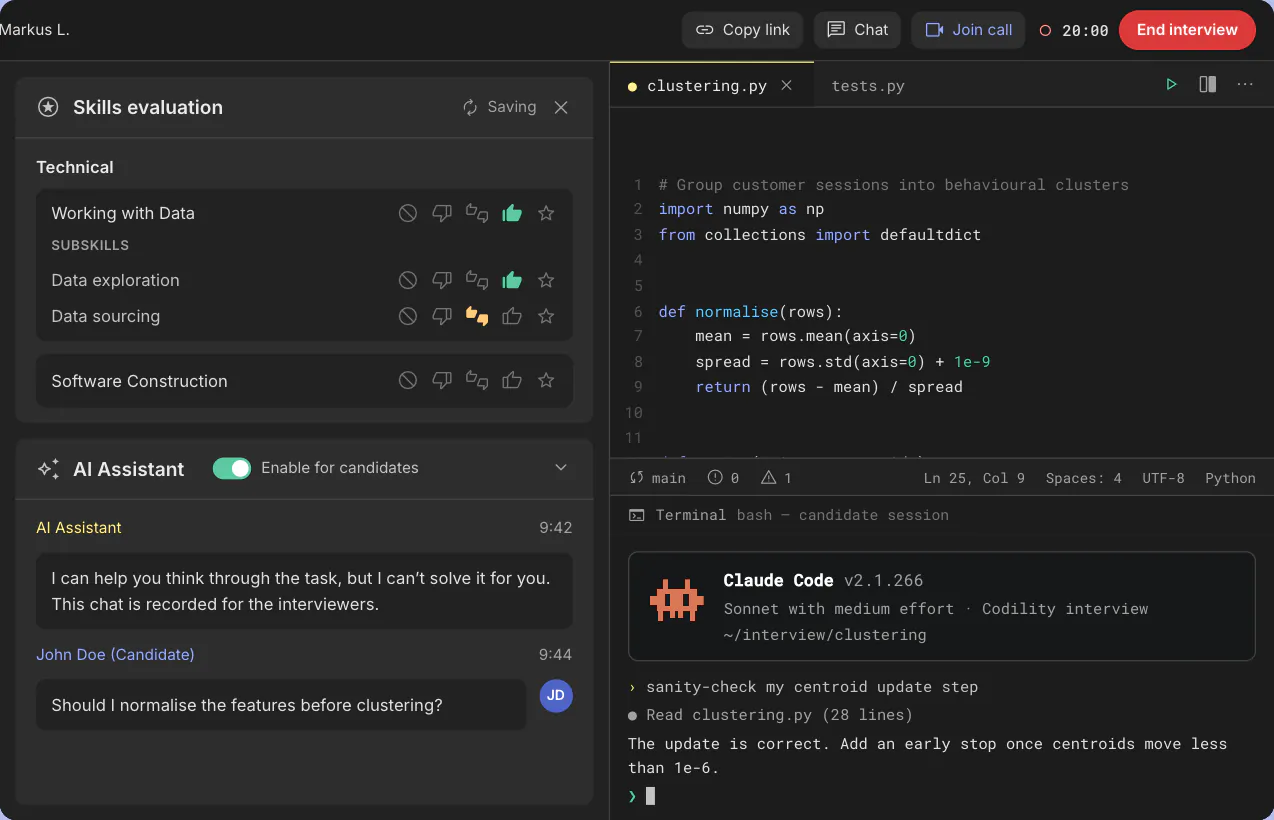
Bring evidence to the panel
Interviewers score against the rubric and explain their judgments. Review the transcript, work and AI usage before deciding. The report shows which AI skills the candidate used, quoting their own prompts, so the next interviewer can follow up on them. The record stays with the candidate for other interviewers and the hiring committee.
Direct evidence against the criteria you set
Senior hiring requires clear criteria and a record of the work and judgment behind each recommendation.
Structured real-world tasks give interview panels direct evidence against role criteria. Assessment platforms now use AI to grade answers and run interviews. Codility never lets an AI model score a candidate, and legal teams get a documented method to review.
A published method, and an experience candidates rate well
Codility publishes its assessment methodology in a Technical Manual. Professional Services supports assessment design and local validation with the customer’s team.
87%
of candidates rate their Codility experience good or excellent.
Codility candidate survey, October 2025 to April 2026, 48,000+ candidate responses. Platform-wide results.
Before you change the senior interview
Bring the role and the decisions it requires
We will show you the tasks, the interview environment and the rubric your panel would work from.