
Article AI and Hiring
How do you see how well a candidate works with Claude Code or Codex?

In short
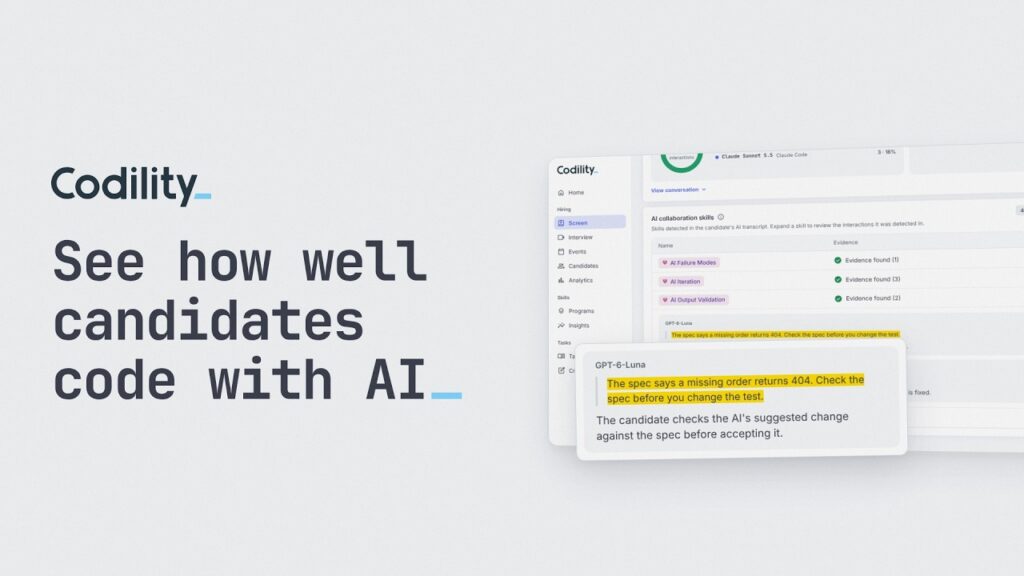
Candidates can now use OpenAI’s Codex next to Anthropic’s Claude Code in Codility Screen, Interview and Skills Intelligence, with no account or API key to set up. Each task report also shows which of 5 AI skills the candidate used, with quotes from their own prompts as proof. Every quote must match the transcript word for word, and the evidence never changes the score.
- Candidates work in the AI coding tool they already know, so time spent getting used to an unfamiliar tool stays out of the report.
- Interviewers see every prompt live and can give Codex instructions the candidate never sees, such as adding a subtle bug.
- Reviewers can judge how well a candidate used AI in seconds, without reading the whole transcript.
Why add Codex?
Engineering teams don’t all code with the same AI tool. Some have standardized on Claude Code, others use Codex every day. Until now, a Codex user taking a Codility assessment had to switch tools and spend the first twenty minutes getting used to one they had never opened. That hesitation went into the report, and it said little about how they would work on your team.
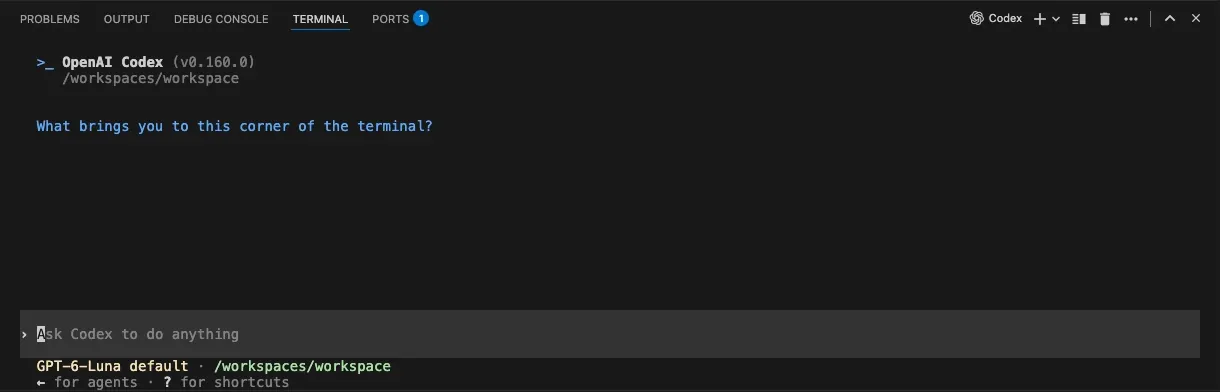
Now candidates choose. Codex opens with one click from the VS Code toolbar, next to Claude Code. There is no account to sign in to and no API key to add. Both are there whenever AI is on for the task or the interview, and a candidate can use both.
What does the interviewer see?
In a live interview, you and the candidate share the same terminal, so you see every prompt and every answer as it happens. Your AI Instructions, which the candidate never sees, now reach Codex too. Tell it to suggest a subtle bug, then watch whether the candidate reviews the change or accepts it. When an AI tool writes the first draft, checking it is the skill I would test first.
How do you see how well a candidate used AI?
Reports already showed how much a candidate used AI and kept the full transcript. Judging how well they used it meant reading that transcript, which can run to hundreds of messages. Few reviewers had the time, so two candidates with the same score and the same AI usage looked identical.
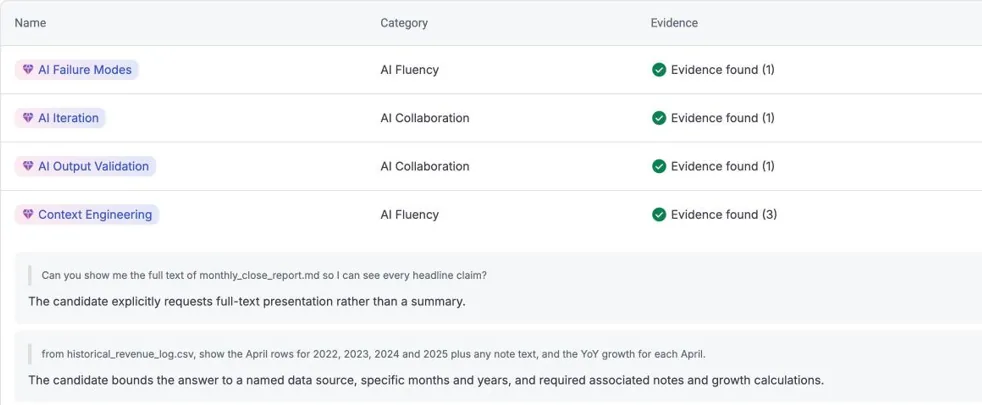
The AI Insights tile now lists the AI skills each candidate showed, out of 5: Context Engineering, AI Iteration, AI Output Validation, AI Task Delegation and AI Failure Modes. Open a skill and you see the candidate’s own words, with one sentence on why they count. It works with Codex, Claude Code, the AI Copilot and the AI Assistant, and appears 10 to 15 minutes after the task ends.
Why can you trust it?
You can check every finding yourself. A quote stays on the report only if it matches the candidate’s message word for word. Each skill is judged against a fixed list of 10 to 13 behaviors written by our assessment science team, and the method was tested on 300 real sessions for consistent results.
When our product team ran a test assessment through it, the strongest evidence came when the candidate caught the AI out: correcting Claude Code’s count of failing tests, or showing Codex that an expected value was wrong. That is the moment I would want a hiring manager to see.
Two limits are worth knowing. A skill missing from the report is no sign of weakness, because many tasks never call for all 5. And the evidence informs the reviewer. It never changes the score.
Where should you start?
Use the quotes in your next interview: “Here you pushed back on the AI’s answer. What made you doubt it?” You get a conversation about judgment, built on something the candidate actually did.
If you already use Codility, there is nothing to switch on. Test-drive an AI-assisted VS Code task, try Codex, and open the report 15 minutes later to see your own prompts quoted back. Log in to Codility. If you don’t use Codility yet, talk to our team and we’ll show you both on a real report.
About the author
I lead product marketing at Codility, where I own how the platform is positioned across Screen, Interview and Skills Intelligence, and I work alongside the Assessment Science team behind the Engineering Skills Model. I came to hiring from the other side of the AI question: before Codility I led product marketing for AI data and model evaluation at Toloka, serving frontier AI labs and large technology companies. I have also built marketing teams from nothing 3 times, so the hiring problems I write about are ones I have had myself. I am based in Rome.
Frequently asked questions
Yes. OpenAI’s Codex runs in the VS Code terminal in Codility Screen, Interview and Skills Intelligence, next to Anthropic’s Claude Code. Candidates open it with one click from the toolbar whenever AI is on for the task or the interview, and can use either tool or both.